Funnels and retention you can trust: what changed since July
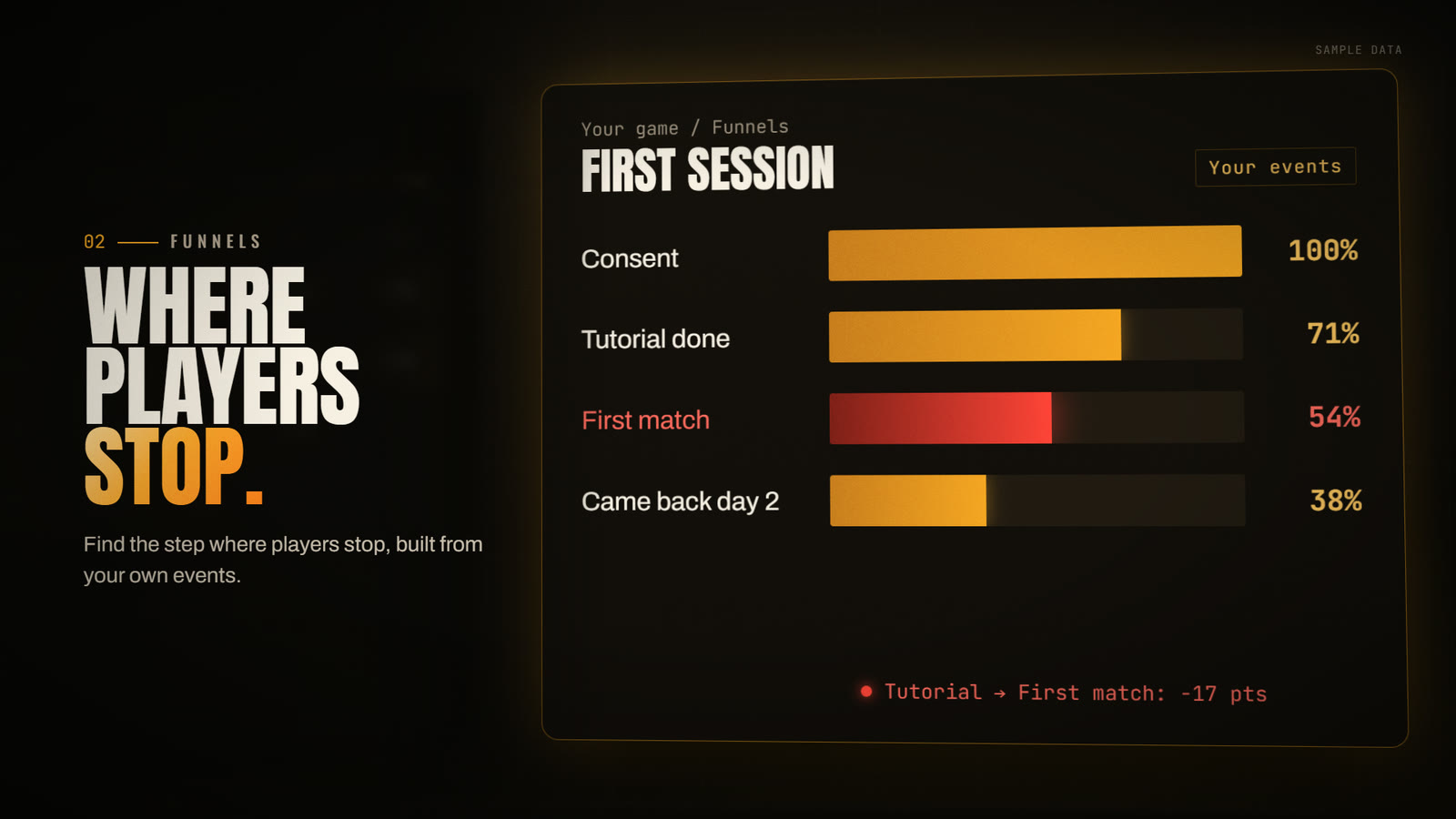
In July we argued that a funnel is only as honest as the events you fire. That post took the counting under the chart for granted. Since then we reworked it on Funnels and Retention wherever a number could mislead, and some of your numbers will move.
A funnel now counts people
A player who saw step 1 signed out, then finished after signing in on a later session, used to count as two people. Now one person is one account: sessions a device played signed out count as the account that device signed into. A device seen with more than one account is kept apart, and if the sign-in history cannot be read whole, the board says so instead of merging part of it.
Dedicated servers are not players either. Player funnels now drop server rows; funnels that follow One match · client + server keep them, because there the server is part of the journey.
A date range is a cohort
A funnel used to see only the events inside its range, cut at both ends, so a player who started on the last evening and finished next morning counted as a drop-out. Now the entrants are the players who start step 1 inside the range, and their later steps are followed past its end for the whole conversion window. Players whose window is still open show as in progress and stay out of the rate until they settle.
The conversion window defaults to 24 hours everywhere, including funnels created through the API or by an AI assistant over MCP, which used to save none. A funnel with no time limit is still allowed, but its scope line turns amber and links you to set a window.
Current builds, by default
A rate blended across every version describes none of them. Funnels now count current production builds by default, inferred from sessions over the last 72 hours, per OS and per client or server role. Each player is counted by the build they entered on. The line above each card says how many entrants on other builds were left out, and the Versions control switches to All builds / history. When a card holds players from several builds, its per-build strip sets the latest entry build beside the previous one, in percentage points of each build's own entrants.
Steps that mean what they say
- One row, one step. A single event can no longer satisfy two steps that share its name; each repetition needs its own later occurrence.
- Is set and is not set. Conditions now include key (is set) and !key (is not set). A not equal to condition skips events that do not carry the attribute, and true/false match in any letter case.
- A step that stopped firing is flagged. When a saved step goes silent for two or more closed days while its event, or the game, keeps firing, a dated note links to Edit step N, where a suggested current value applies in one click.
- Biggest loss and steepest step. Biggest loss (players) is where the most people left; Steepest step (rate) is where the largest share of a step's own players left. Every percentage now names its base.
- Steps out of order. If players fire steps in a different order than saved, the board says so instead of showing a cliff after step 1.
Building and reading funnels
The funnel builder is now guided: event names and attribute values are suggested from your own telemetry, steps move up and down, Undo and Redo work, and an unsaved draft is backed up in your browser. If a teammate saved the same funnel meanwhile, yours can be saved as a new funnel instead of overwriting theirs.
Each card compares its rate with the previous window of the same length and plots a trend inside the current one; both refuse, with the reason, when either read was cut short. The CSV link exports every saved funnel, one row per step, with the covered span inside the file and withheld rates left empty, never zero.
Retention: the comparisons are already built
Retention now opens on twelve automatic tables: operating system, mobile device models, player country, mobile vs desktop, device model, system RAM, game build, GPU vendor, GPU model, video RAM, CPU threads and engine. Each lists its 20 largest groups plus Not reported and Other values, so no player drops out. Click any group to open its cohort history, a D0–D30 matrix in weekly or daily rows. Each day counts only players old enough to have completed it, and a rate needs 30 measured players.
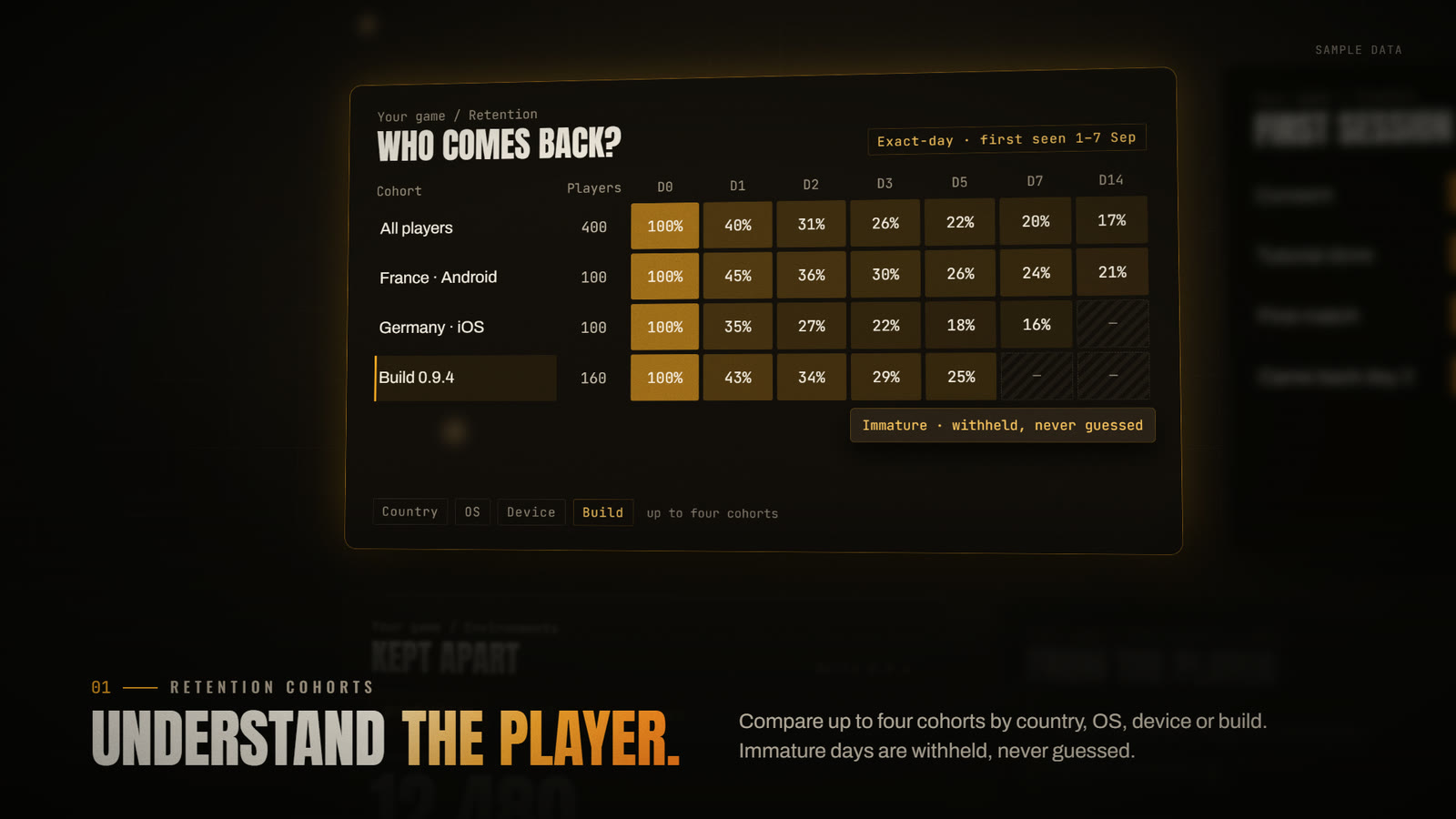
For anything else, choose Build a custom comparison: up to four cohorts, each with its own first-seen dates and up to four filters across eleven dimensions, measured at D1, D7 and D30 against the first cohort. A player keeps the groups they had on their first-seen day; a later device or build does not move them. Comparisons export to CSV and copy as links.
When player identity or acquisition history is incomplete, rates are withheld: players could be counted twice or given the wrong first day, and a larger sample would not fix that.
One window, one clock
Command, Analytics, Funnels, Sessions and Audiences share one Analysis window: preset chips sized to your plan's history, or from and to dates in UTC, with the to date exclusive. The Reporting time zone panel on the Billing page cuts the New players series at your own midnight; retention stays on UTC days and says so.
Try it
- Call SetUser when sign-in resolves, so signed-out play merges into the account (quickstart).
- Open Funnels, choose build a funnel, keep Within 24 hours unless the journey spans days, then Save & view results. Condition syntax: Funnels & conditions.
- Read each card's build line and Biggest loss callout, then download the CSV.
- Open Retention, click a group to see its D0–D30 history, then Build a custom comparison. The same reads are in the Read API and over MCP.
Honest limits
Current builds are inferred from recent sessions, not a deployment registry; when they cannot be established, the board counts all builds and says why. The per-build strip uses the live read only. Retention groups are first-seen players, not attributed installs, and the 30-player floor is not statistical significance.