Reading a tombstack: the anatomy of a crash report
A crash report is a witness statement from a dying process. Read it in the wrong order and you will chase a symptom for an hour. Here is the order that actually converges on a cause.
0. Check the kind before anything else
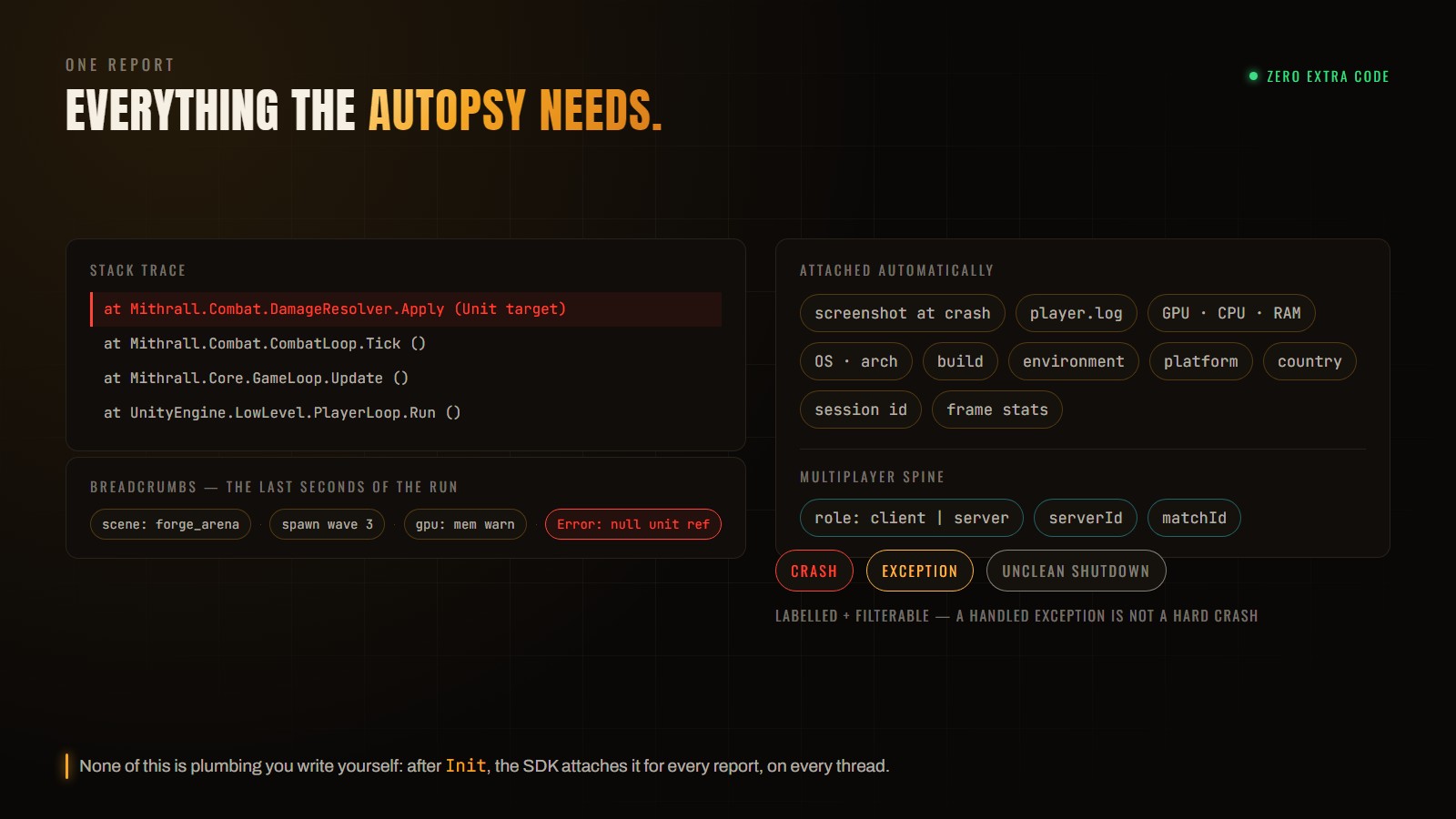
Before you read a single frame, look at how the report is labelled. A hard crash, an unhandled exception the runtime survived, and an unclean shutdown are three different investigations. An unclean shutdown often has no usable stack at all — for that one, jump straight to the device state, because you are usually looking at a memory kill.
1. The exception line
Start at the top. The type and the address tell you more than people expect: a segfault on a very low address is almost always a null dereference plus a field offset, and the offset itself often identifies which field.
2. The first frame that is yours
Skip the engine internals. The topmost frame in your own code is where you have leverage — it is the only line in the trace you can actually change. Everything above it is usually the engine faithfully executing your mistake.
Breadcrumbs are the last seconds of the game's life. They tell you what it was doing when it died — which is usually the part the stack trace omits.
3. Breadcrumbs, then device state
Now reconstruct the moment. Was the player mid-scene-load? Did a host migration just freeze the frame? Was memory already under pressure? This is what turns “a null reference in the damage resolver” into “a null reference in the damage resolver when a unit is destroyed during a scene transition” — and the second sentence is a reproduction case.
4. Then widen out
One report tells you what happened once. The signature tells you whether it matters: how many players, since which build, on which platforms, in which environment. A dramatic-looking crash affecting two players on a beta branch is not the one to fix before lunch.